

Exclusive pre-launch offer!
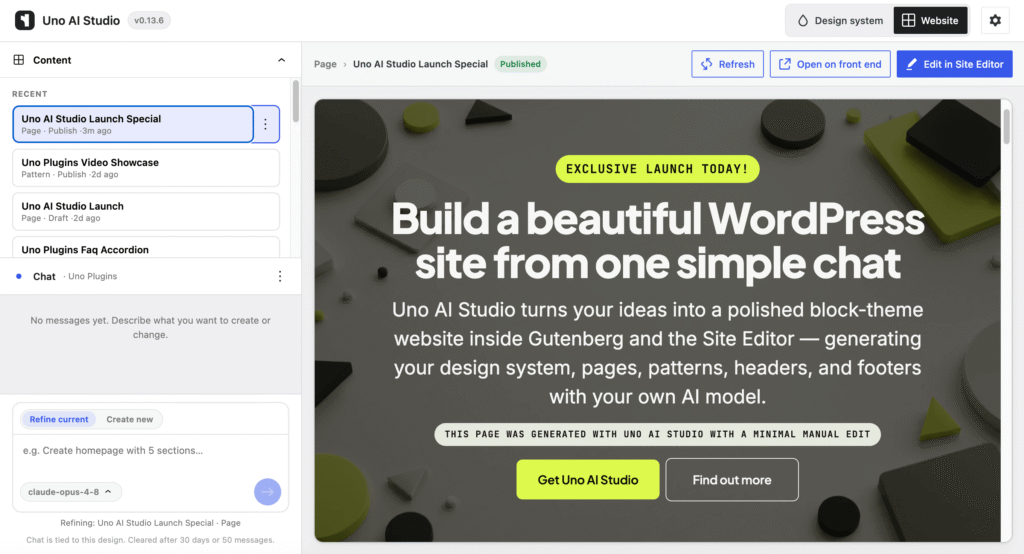
Build beautiful WordPress sites from one simple chat
Uno AI Studio turns your ideas into a polished block-theme website inside Gutenberg and the Site Editor — generating your design system, pages, patterns, headers, and footers with your own AI model.
an experimental plugin to design, refine and publish pages with ai in WordPress
Everything you need to build with AI
Built natively for the WordPress you already know — no lock-in.
01
Native WordPress AI Connectors
Plug in your favorite AI model directly through WordPress AI Connectors. No vendor lock-in, no proprietary API keys — just the model you already trust, working natively inside your site.
02
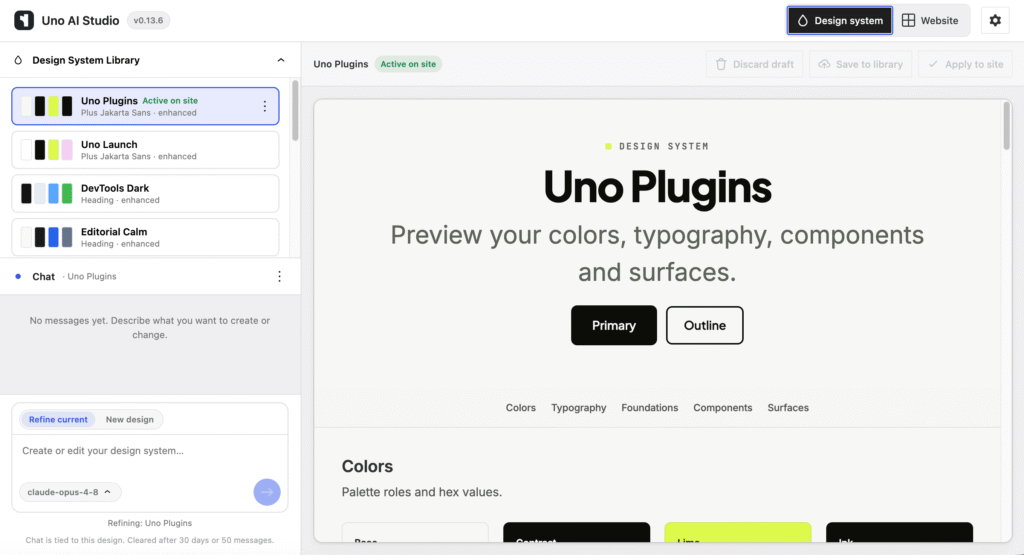
Design systems in the Site Editor
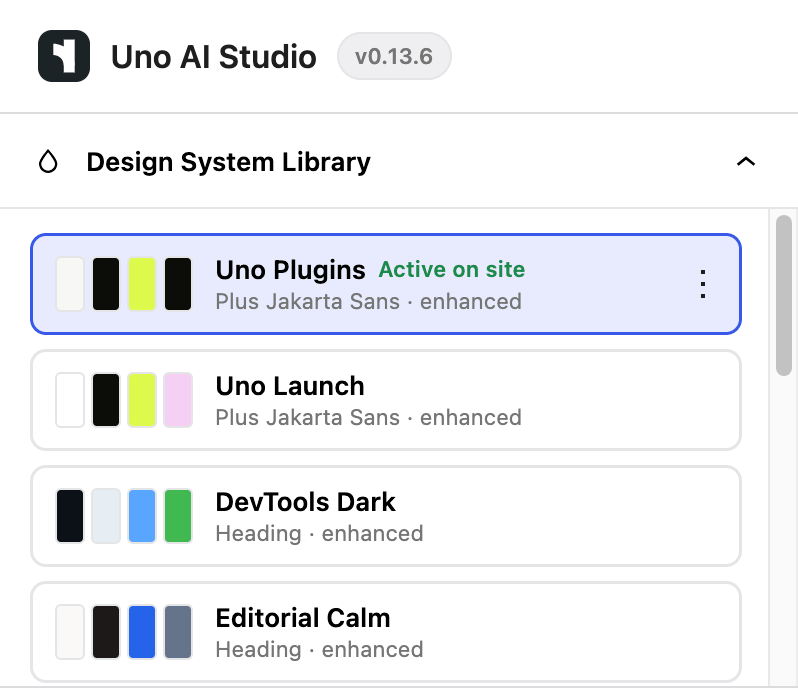
Uno AI Studio generates coherent, professional design tokens and styles that carry through every page. Colors, type, and spacing stay consistent site-wide, without manual theming work.
03
Twenty Twenty-Five ready
Works today with the default Twenty Twenty-Five block theme — no waiting, no compatibility gambles. Adopt it now and start building with confidence from day one.
04
Patterns, template parts, full pages
A single chat can produce headers, footers, sections, and entire pages. Everything lands as fully editable, native Site Editor blocks — ready to refine, not locked behind a black box.
See It In Action
Watch Uno AI Studio build your site in minutes
Uno AI Studio turns a simple prompt into a fully designed WordPress site — complete with on-brand colors, typography, and ready-to-edit blocks. This walkthrough shows the full workflow from idea to published page, so you can see exactly how fast and native it feels inside the block editor.
A 15-minute tour of Uno AI Studio plugin
Prompt to page
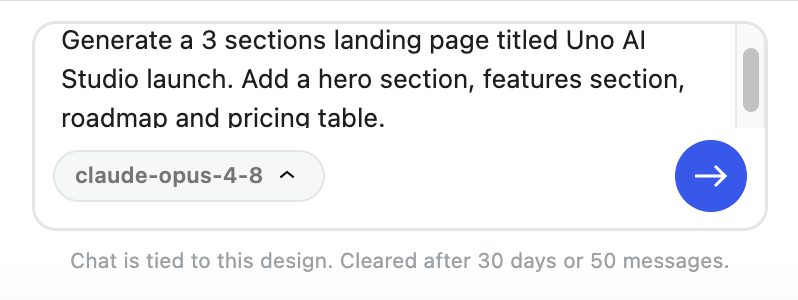
Describe your site and get a complete, on-brand layout in seconds.
Native blocks
Every section is standard, editable core blocks — no lock-in, no page builder.
Publish fast
Refine, tweak the design tokens, and ship a polished page in minutes.
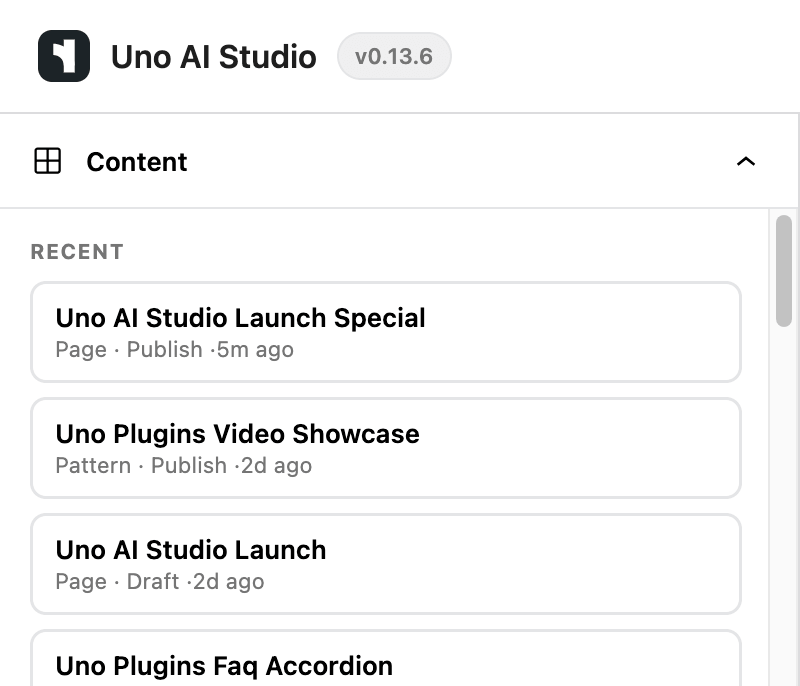
What’s next
A concise look at where the product stands today, what’s actively underway, and what we’re exploring for the road ahead — no hype, just direction.
Now – v0.14
Current features
- Create Design Systems for Site Editor
- Create full pages
- Create patterns and template parts
Better to use on test sites
Next – v1.0
Alpha v1
- Advanced Design System
- Advanced design skills
- More polished output
progressing toward release
future
Exploratory direction
- Additional builders
- Third party blocks
- Dedicated agency workflows
Under consideration
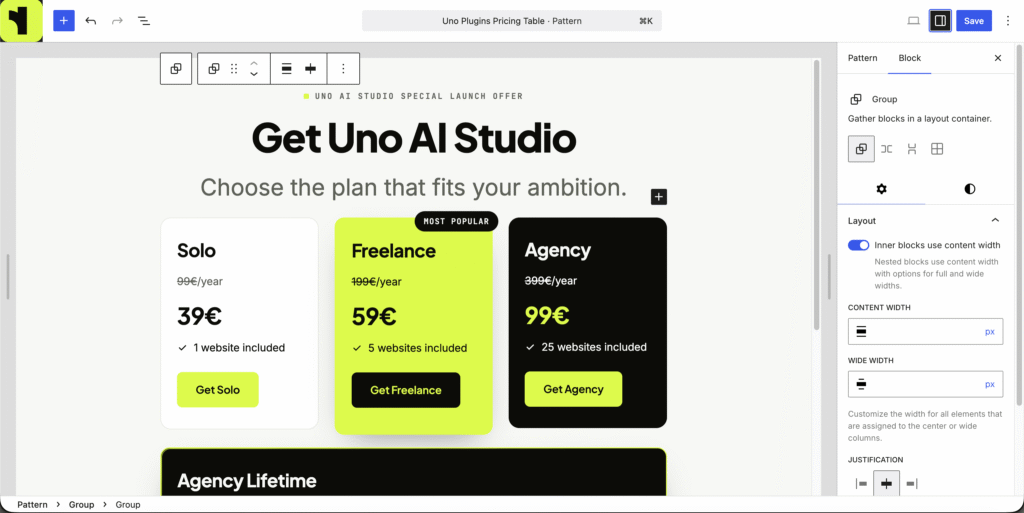
Special Pre-Launch Pricing
Pick the plan that fits how you build — or lock in lifetime access while it lasts.
14-day money-back guarantee
Current yearly prices are grandfathered as long as you keep you license active.
Solo
€29
/year
instead of €69/year
for individual site owners
- use on 1 site
- Design Systems in Site Editor
- Patterns, Full pages, Templates
Freelancer
€59
/year
instead of €129/year
for client work
- use on 5 sites
- Design Systems in Site Editor
- Patterns, Full pages, Templates
Agency
€99
/year
instead of €199/year
for teams and multiple sites
- use on 50 sites
- Design Systems in Site Editor
- Patterns, Full pages, Templates
Only 97/100 available
Founder Lifetime
special launch offer
€199
one-time
instead of €399/year
— lifetime access, forever
- Special Founder Offer
- 25 site license
- Design Systems in Site Editor
- Patterns, Full pages, Templates
- Lifetime updates included
- Support included for 1 year*
* For lifetime license, support is included for 1 year, you can renew your support by purchasing any of the other annual licenses as needed.
Release notes
Here’s a running record of the latest updates and improvements to Uno AI Studio.
0.14.0 – 2026-07-08
- Added: Opt into Elementor (V4) in Settings to generate design systems and create pages or sections in Elementor Atomic Editor.
- Added: Elementor mode is labeled In development in the admin header and Settings while page refine and templates are still shipping.
- Added: Studio chat can answer site questions and run supported WordPress abilities alongside design and page workflows.
- Added: Setup banner now directs you to Settings → Connectors to connect AI — the WordPress AI plugin is no longer required.
- Improved: Chat replies summarize outcomes in plain language (created, updated, partial, failed, answered) instead of raw pipeline output.
- Improved: Ability and settings answers render as readable multi-line text instead of JSON dumps.
- Improved: Create new with no page selected reliably starts a new page instead of misrouting your message.
- Improved: Elementor-generated pages can use row, two-column, three-column, and centered layouts from your design system.
- Improved: Settings building mode list shows block theme and Elementor only; block theme remains the default.
- Fixed: Switching block themes no longer crashes the site when Studio rebinds header and footer template parts.
- Fixed: Refining a design on the Design tab no longer jumps to Website mode because of a stale page selection.
- Fixed: Create new no longer turns informational questions into unwanted page builds.
- Fixed: Fast AI models can still create pages when the planner returns invalid JSON.
- Fixed: Elementor pages, kit variables, and global classes apply correctly after design generate and page compose.
- Fixed: Elementor design preview and global classes stay in sync after you apply a saved design.
0.13.6 – 2026-07-04
- Added: Choose your AI provider and model above the chat composer; use Auto or pin a specific model for your Studio sessions.
- Added: Model picker shows the site quality tier, ranked models for that tier, and search to find models quickly.
- Improved: Your AI model choice is saved per admin user and applied to generate and refine requests.
0.13.5 – 2026-07-03
- Added: Settings now includes license activation and deactivation for plugin updates from unoplugins.com.
- Improved: Settings shows your masked license key and live hourly usage quotas when opened.
- Improved: Rate-limit reset for local testing is available directly in Settings.
0.13.4 – 2026-07-03
- Fixed: Section and element refine on draft pages now run block finalization automatically, so the preview matches the Site Editor without manual block repair.
0.13.3 – 2026-07-03
- Fixed: Multi-section page builds no longer time out mid-create; each section completes in its own chat step.
- Fixed: Chat history is saved at the start of each turn, so interrupted page builds keep your prompts.
- Improved: Website chat automatically continues multi-section page builds until all sections finish composing.
0.13.2 – 2026-07-03
- Fixed: Full-page generation no longer saves empty pages when building section by section.
- Fixed: Website preview waits until block finalization finishes before refreshing.
- Fixed: Multi-section page builds defer live saves until all sections finish composing.
- Fixed: Section-by-section page builds no longer burn the full composition quota on the first section.
- Improved: Chat shows clearer retry guidance when composition or planning limits are reached.
- Improved: Settings shows remaining hourly quotas for composition and planning, with a reset option for local testing.
0.13.1 – 2026-07-02
- Fixed: Block finalization now reliably repairs complex managed pages, patterns, and template parts instead of failing on most items in a batch.
- Fixed: Website chat waits for finalization before showing success; failures show clear inline diagnostics instead of a brief-only summary.
- Fixed: Website preview refreshes automatically after finalization, so refined content matches the Site Editor without manual Refresh.
- Fixed: Color, icon, and style token refine now works on structure, templates, and patterns — not only pages.
- Improved: Failed refine no longer changes live site content until finalization succeeds.
- Changed: BREAKING: Markup-only composition is removed; re-compose via chat to finalize any content stuck from older versions.
0.13.0 – 2026-07-02
- Added: Uno AI Agent V1: multi-step compound plans in Design and Website chat, with unified routing and result cards in chat.
- Fixed: Floating header and footer previews now match the Site Editor layout instead of collapsing into a narrow stacked card.
- Fixed: Page composition previews no longer show white bands between stacked section groups.
- Fixed: Design names with apostrophes no longer truncate to a single character in library titles.
- Fixed: HTML-first markup no longer fails finalization on false leaf-text or preset-ref validation errors.
- Fixed: Malformed enhancement CSS from AI responses is salvaged when possible instead of discarding the whole design.
- Fixed: Finalizer reconcile no longer loops when a job is already running.
- Improved: Studio dashboard loads faster with inlined bootstrap and parallel design and content catalogs.
- Improved: Finalizer failures show a global banner with short summaries and expandable details; validation errors read clearly.
- Improved: Design tab generate and refine skip the extra agent-plan AI call for faster, deterministic routing.
- Improved: Local dev gates: composer test:fast, npm run ci:local:fast, and Composer process-timeout removed for full PHPUnit runs.
- Changed: Website chat routes through the Uno AI Agent planner; phrase matchers are removed. Use Refine current / Create new if routing misinterprets your request.
0.12.0 – 2026-07-01
- Changed: BREAKING: Removed legacy step REST namespaces under uno-studio/v1: /design-system/*, /structure/*, /pages/*, /templates/*, and POST /composition/preview. Admin generation and refinement use POST /studio/chat only; composition preview publish runs inside PHP pipelines via Uno_Studio_Composition_Load_Current::publish_preview().
- Changed: BREAKING: Removed WordPress Abilities: uno-studio/block-theme-plan-pages, uno-studio/block-theme-plan-page-sections, and uno-studio/block-theme-refine-pages. Page planning and session refine are internal to chat and the generate-pages ability.
- Added: Internal admin module src/admin/api/uno-studio-composition-api.js for finalizer/reconcile REST (not part of the frozen unoStudioApi contract).
- Changed: Deleted legacy admin bundle src/admin/data/api.js (~50 step REST helpers); only composition finalizer consumers remain on the dedicated composition API module.
- Changed: Dist manifest verification uses prefix expectations and updated file-count bounds; .distignore excludes languages/.gitkeep.
0.11.0 – 2026-07-01
- Changed: BREAKING: Composition markup now validates through the Site Editor save path only; the legacy allowlist, PHP normalizer, client repair orchestration, and repair-markup REST route are removed. Chat saves a scrubbed draft; Studio reconciles in a hidden iframe.
- Changed: BREAKING: Website chat routes messages through an AI intent planner only — phrase matchers are removed. If routing fails, use Refine current / Create new or rephrase your request.
- Changed: BREAKING: Default composition quality tier is now fast on new sites (no visual critic pass). Set balanced or premium under composition settings to restore critic passes.
- Changed: BREAKING: Managed header, footer, pages, and patterns use design-scoped titles and slugs (e.g. bellios-header instead of uno-studio-header). Upgrade migrates legacy uno-studio-* posts and rebinds theme wrappers to the applied design.
- Changed: BREAKING: Quality-tier model routing for Anthropic now prefers Sonnet before Opus (Opus remains fallback).
- Added: Preview toolbar finalizer queue with pending count, Finalize pending, and Reconcile all managed for pages, patterns, templates, and template parts; chat system messages on queue start, complete, or fail.
- Added: Edit with Uno AI Studio on managed front-end pages and a global Uno AI Studio shortcut in the wp-admin admin bar.
- Added: Per-design chat threads stored on the server; hard reload restores Design tab context (library browse, New design) and Website tab chat always uses the applied design thread.
- Added: Website content list matches the design library chip layout, with open in Site Editor, rename, and delete from each row menu.
- Added: Click a chat result card to select that page, pattern, or template in the preview.
- Added: Apply, rename, or delete saved designs from the library chip menu without leaving Studio.
- Added: Refine current / Create new composer chips on Design and Website tabs for explicit create vs refine control.
- Added: Managed content identity: design-scoped persistence, plugin ownership labels in the Site Editor, and optional landing or alternate header variants via Website chat.
- Fixed: Finalizer iframe mounts before deferred reconcile runs — no more spurious “Finalizer iframe is not registered” errors or duplicate preview toolbar alerts on Studio load.
- Fixed: Outer section wrappers no longer show “Block contains unexpected or invalid content” in the Site Editor after reconcile or Reconcile all managed.
- Fixed: Headings, paragraphs, buttons, and Details blocks render with visible text in the preview iframe on WordPress 7.
- Fixed: Reconcile now persists the validated block tree so outer group spacing and layout JSON match what the Site Editor expects.
- Fixed: Header and footer apply and front-end theme wrappers work again after the managed-content ownership change; upgrade rebinds existing template parts.
- Fixed: Website chat no longer misroutes header/footer prompts to page create when the brief mentions another page as a link target.
- Fixed: Chat history survives hard refresh; corrupt thread meta blocks writes instead of wiping all threads; failed loads show an error with retry.
- Fixed: Generated pages and sections regain sensible preset padding and block gap; stacked full-width groups no longer pick up extra top margin on block themes.
- Fixed: Site Editor Author for managed templates and template parts shows Uno AI Studio instead of the active theme slug.
- Fixed: Composition gate failures surface clear diagnostics in chat and the preview toolbar instead of silent success or placeholder markup.
- Fixed: Design library chip switches no longer drop chat history; apply respects the selected library row even when a draft preview is open.
- Fixed: Saving a design to the library exits draft UI; deleting a design clears its preview session; apply failures show an inline toolbar error.
- Fixed: Chat no longer fails with empty AI responses or “Couldn't reach the server” when no website content is selected.
- Fixed: Asking to create a template while a page is selected no longer overwrites that page.
- Fixed: Section-style requests (e.g. pricing tables) create reusable patterns instead of full pages when the brief describes a block, not a whole page.
- Improved: Three-layer WordPress 7 composition finalizer: AI output is normalized, text is preserved through a headless gate, then the Site Editor confirms the save before content is marked ready.
- Improved: Updated Uno logo in the WordPress admin menu, Studio header, live version badge, and admin bar shortcuts; admin header uses system-font title styling.
- Improved: Preview iframe keeps a loading overlay until the page finishes rendering; chat shows an animated “Generating…” indicator while waiting for the assistant.
- Improved: Reconcile auto-repairs header/footer structure scoping, serializes concurrent batches, and reports partial success (X of Y finalized).
- Improved: Batch finalize and reconcile use a stable Site Editor shell instead of jumping between artifacts — fewer timeouts and duplicate toolbar errors.
- Improved: Website chat routes create requests from your message even when another item is selected; assistant replies show what was created or refined (e.g. Created · Pattern).
- Improved: Design preview always loads Enhanced mode so enhancement CSS appears in the iframe; the Core/Enhanced preview toolbar toggle is removed.
- Improved: Website chat can add Custom HTML and Shortcode blocks when you explicitly ask for embeds, widget code, or plugin shortcodes; core blocks remain the default for layout.
- Improved: Pages default to section-by-section composition for cleaner Site Editor results; opt in to one-shot full page via prompt phrases or settings.
- Improved: Pattern chat assigns short catalog titles (1–3 words); pricing-style patterns guide toward simple column layouts that open cleanly in the Site Editor.
- Improved: AI cost routing maps quality tiers to appropriate models; visual critic uses the shared prompt dispatcher; retries downgrade to faster models when enabled.
- Improved: Design tab Refine current / New design chips unify navigation; New design clears the general thread and shows an empty preview until the first generate.
- Improved: Chat composer uses WP accent tokens for active chips and a focus ring around the whole input; empty threads show a short hint.
- Changed: Removed the + New design system bar above chat; New design composer chip is the sole entry for starting a blank design on the general thread.
- Changed: Website chat auto-routes from your message (focus chips removed).
- Changed: Preview iframe shows a clear error panel when composition markup cannot be validated instead of failing silently.
- Changed: DesignSwitchModal copy matches apply behavior: apply to site and switch chat thread.